

Create and review a purchase plan
This is the primary workflow for turning a defined product scope and planning policy into a saved, reviewable purchase proposal.
Before you begin
Know the supplier, product scope, analysis period, lead time, desired coverage, safety reserve, purchase currency, and whether verified availability history exists. Configure product-specific supplier rules where pack, MOQ, cost, or supplier code matters.
Create the plan
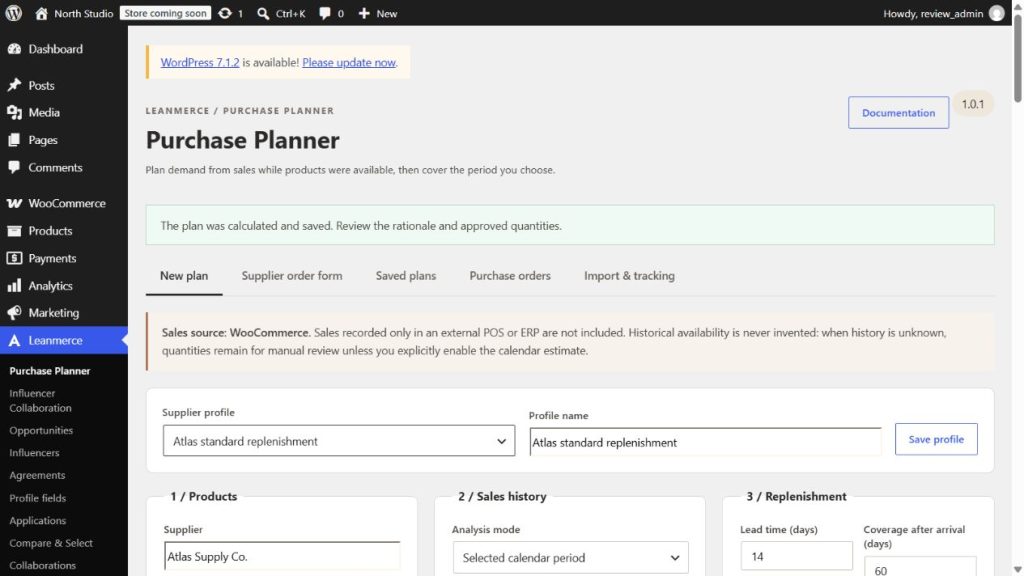
- Go to Leanmerce → Purchase Planner → New plan.
- Select a saved supplier profile or enter the supplier and profile name.
- Select products by brand taxonomy, category, or exact SKU. Use the explicit all-physical-products option only when that is truly the intended scope.
- Choose the analysis start and end dates and the catalog-price-period mode.
- Choose the availability basis: observed known availability, or the explicit Calendar Estimate when unknown history makes a bootstrap estimate appropriate.
- Enable the bounded older-sales fallback only if an older rate is relevant when the primary period has no usable sales.
- Enter lead time, coverage after arrival or a cover-through date, safety-stock days, optional budget, and purchase currency.
- Open Additional parameters to set default pack/MOQ, known
created_viaexclusions, or the documented manual demand factor. - Select Calculate purchase plan.
Review the result
- Selection audit: confirms which SKUs matched and why.
- Sales/net sold: shows eligible WooCommerce demand after conservative adjustments.
- Stock is the current read-only stock evidence.
- Availability evidence: separates known states and unknown time.
- Units/day: is the demand rate and must be read with its evidence basis.
- Incoming: includes only eligible, unreceived supplier-confirmed supply in the relevant horizon.
- Suggested quantity: is the calculated proposal before final merchant approval.
- Approved quantity: is the editable reviewed quantity used for the purchase record or export.
- Status/warning: identifies manual rows, Calendar Estimate, budget limits, or missing evidence.
Expand Calculation and rules for the rate basis, stock/incoming scenarios, pack/MOQ, cost, budget, and rule details. A manual override is appropriate only when you can explain and record why the calculated evidence is insufficient or the commercial decision differs.
Complete and verify
- Resolve every warning that affects confidence.
- Confirm supplier codes, costs, currency, pack, and MOQ.
- Check open requests so you do not duplicate purchasing.
- Save the plan and reopen it from Saved plans.
- Before creating a purchase record or export, compare approved quantities with the supplier-facing output.
- Confirm WooCommerce stock has not changed.
Safety boundary: the calculation is decision support. It does not place an order or mutate inventory.
Related: Supplier profiles and rules and Purchase orders and incoming supply.