

Agreements and fulfillment
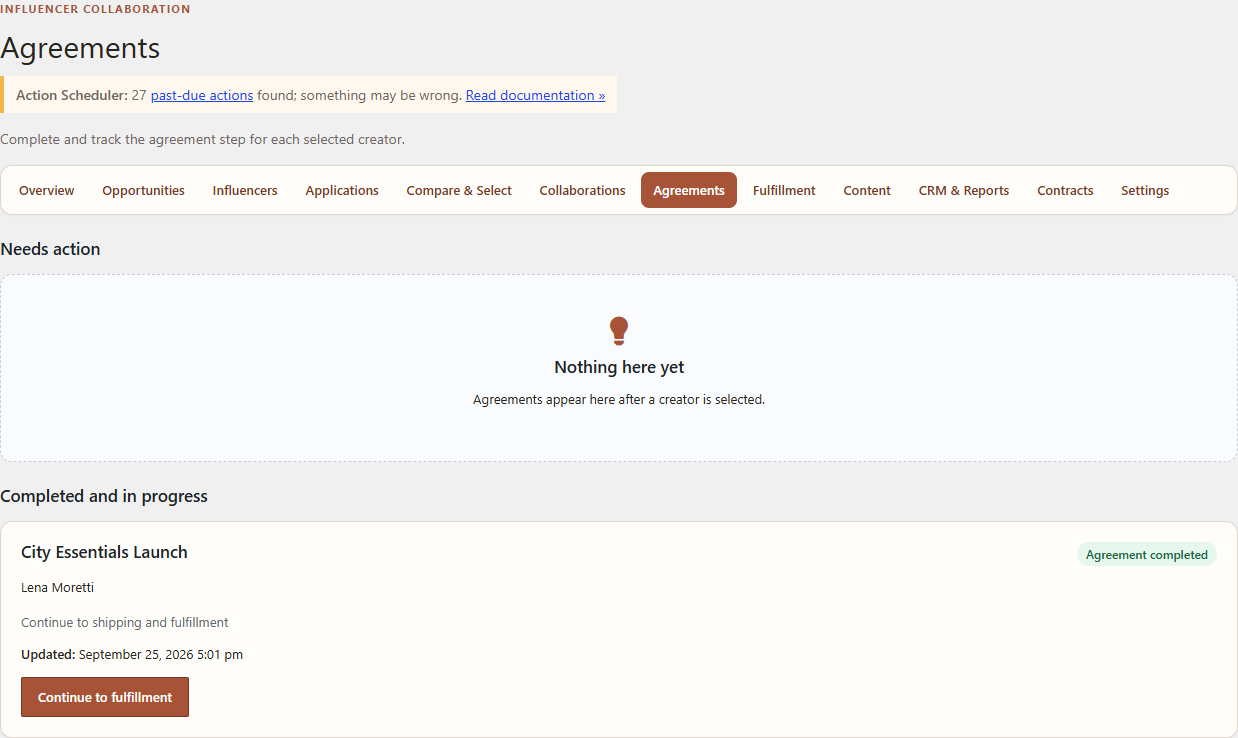
Agreement records and fulfillment are separate operational steps. This guide covers the verified Free/Core path and identifies the Pro boundary without giving legal advice.
Free/Core external agreement
- Open WordPress Admin → Leanmerce → Agreements.
- Select the Collaboration.
- Confirm that agreement handling was completed outside Leanmerce.
- Enter the external reference required by the form.
- Review the accepted commercial context before saving.
Free/Core records a merchant confirmation and an immutable Final Terms snapshot. It does not generate, validate, sign or determine the enforceability of the external agreement.
Fulfillment
- Open Leanmerce → Fulfillment.
- Select the Collaboration and review product/shipping readiness.
- Confirm the creator shipping address through the protected workflow.
- Choose the implemented fulfillment strategy: create/use the supported WooCommerce order path or record an allowed manual external fulfillment.
- Add tracking only after shipment exists.
- Mark shipped and delivered when those events occur.
Verify
Confirm the fulfillment record references the intended creator, Collaboration and selected product. Shipping details remain private. The Collaboration reflects the real fulfillment state.
Recovery
If readiness fails, confirm the creator supplied an address and that the product choice matches the accepted terms. Do not copy private shipping data into public notes.
Pro boundary
The exact Free/Core 1.0.7 and Pro 1.0.2 packages passed the combined local runtime gate. The contract instructions below describe the observed workflow while preserving the legal-review boundary.
Related documentation
See Manage collaborations, Privacy and private creator data, and Contracts, Final Terms, rights and advanced reporting.