

Configure creator enrollment and profiles
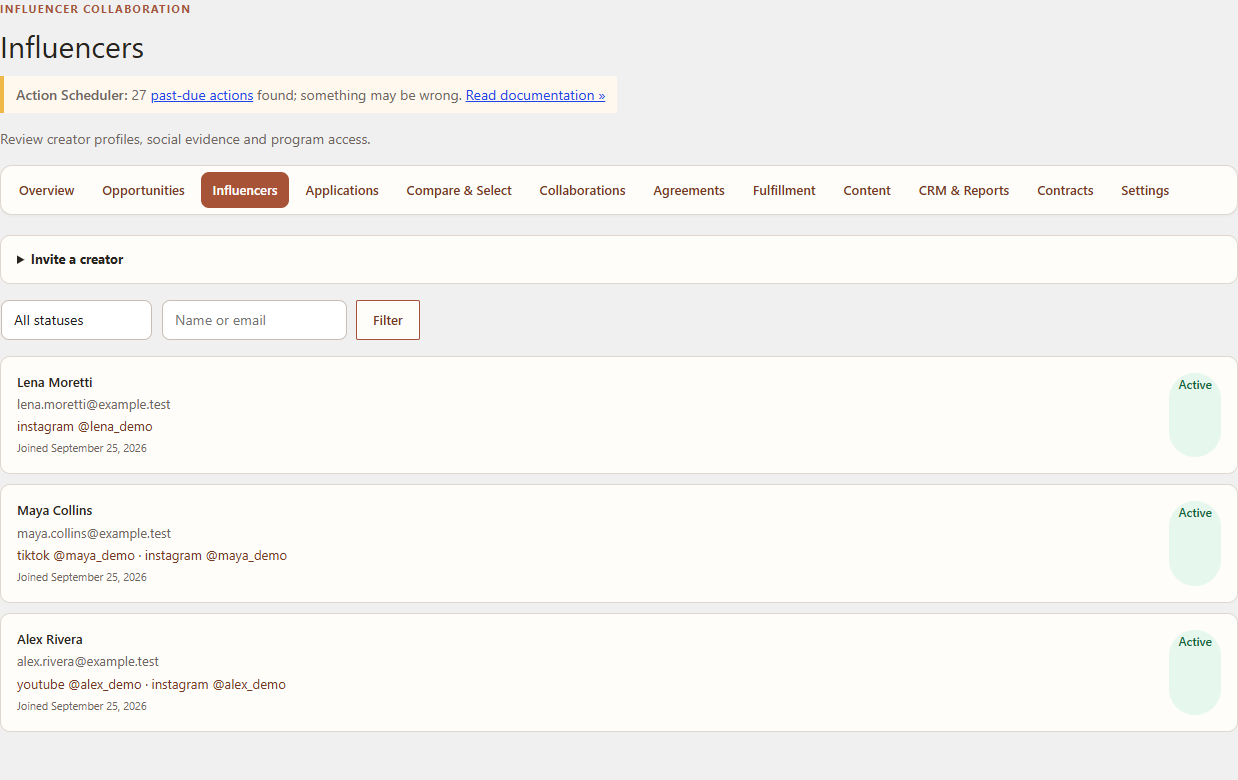
Configure how creators enter the program and what profile information they provide. This procedure is for administrators and program managers.
Navigation
Open WordPress Admin → Leanmerce → Settings → Program, then Settings → Profile fields.
Choose an enrollment mode
- Select Open registration when eligible signed-in customers may join directly.
- Select Manual approval when applications should remain pending until a merchant approves them.
- Select Invite only when joining requires a merchant invitation for a specific email address.
- Save before testing the creator account experience.
Configure profile fields
- Review each field label and type.
- Set whether it is required during onboarding.
- Put fields in the order creators should see them.
- Keep internal merchant-only data out of creator-facing fields.
- Save and open a separate customer session to verify the form.
Review creators
Open Leanmerce → Influencers. A manual-approval profile remains Pending until an authorized merchant changes its status. Suspended or Blocked restricts only Influencer Program access; the user’s normal WooCommerce account and orders remain available.
Expected result
The My Account entry presents the correct join state, required fields are enforced, and the merchant can distinguish incomplete, pending, active, suspended and blocked profiles.
Recovery
If the wrong join state is shown, confirm the account email, invitation state and selected enrollment mode. Do not create duplicate WordPress users to work around an incomplete profile.
Related documentation
See Join and set up your creator profile, Privacy and private creator data, and Status and collaboration terminology.