

Install and set up the Influencer Program
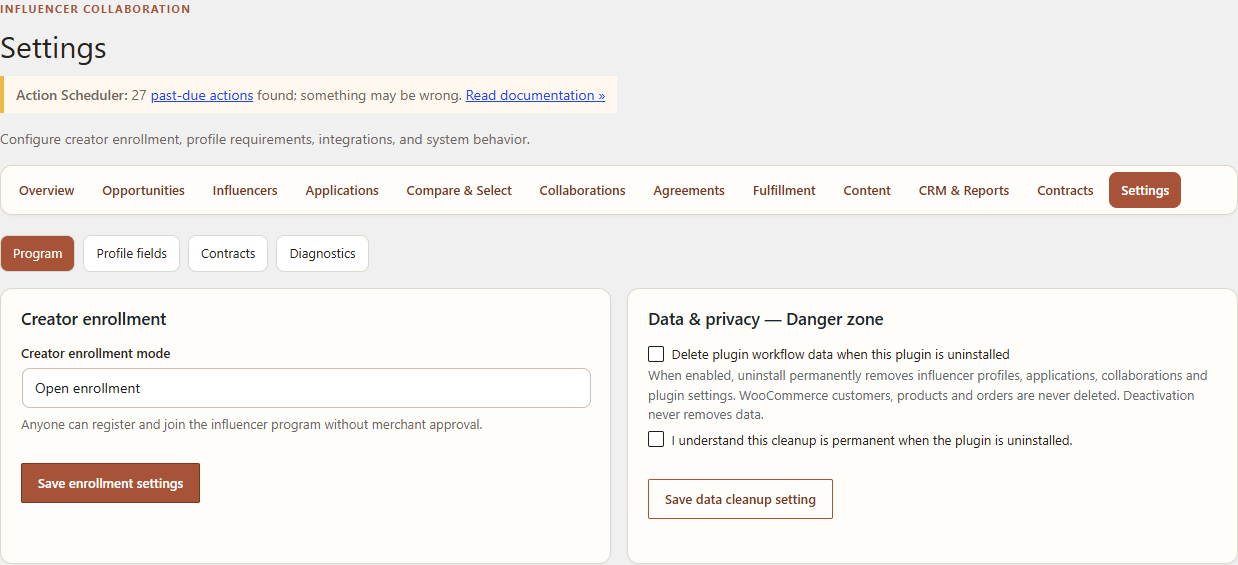
Use this procedure after WooCommerce is installed and active. It is intended for a WordPress administrator.
Prerequisites
- WordPress 6.9 or newer.
- PHP 8.1 or newer.
- WooCommerce 10.8 or newer.
- Permission to install plugins and manage the Leanmerce workspace.
Install Free/Core
- Download Leanmerce Influencer Collaboration Free/Core from the official WordPress.org listing at wordpress.org/plugins/leanmerce-influencer-collaboration/.
- In WordPress Admin, open Plugins → Add New → Upload Plugin.
- Install and activate Leanmerce Influencer Collaboration.
- Open Leanmerce → Settings → Diagnostics.
- Confirm the plugin, database schema, WooCommerce dependency and HPOS checks do not report a blocking requirement.
Use the official WordPress.org listing for Free/Core installation. Do not use an unverified download URL or a private Leanmerce-hosted substitute.
Configure the program
- Open Leanmerce → Settings → Program.
- Choose the enrollment mode: Open registration, Manual approval or Invite only.
- Save the program settings.
- Open Leanmerce → Settings → Profile fields.
- Review the onboarding fields, their order, whether each field is required, and whether it is visible to creators or merchants.
- Open Leanmerce → Settings → Diagnostics again and confirm creator visibility is ready for the selected mode.
Verify the creator entry point
- Use a non-administrator WooCommerce customer account in a separate browser session.
- Open My Account → Influencer Program.
- Confirm the join screen matches the configured enrollment mode.
- Do not use customer or production creator data for setup testing.
Common recovery
- If Influencer Program is missing, resave WordPress permalinks and sign in again.
- If activation is blocked, resolve the exact requirement shown under Diagnostics; do not bypass the dependency check.
- If Invite only is selected, the creator must open the invitation link while signed in to the invited email account.
Related documentation
See Configure creator enrollment and profiles and Join and set up your creator profile.