

CRM, history and reporting
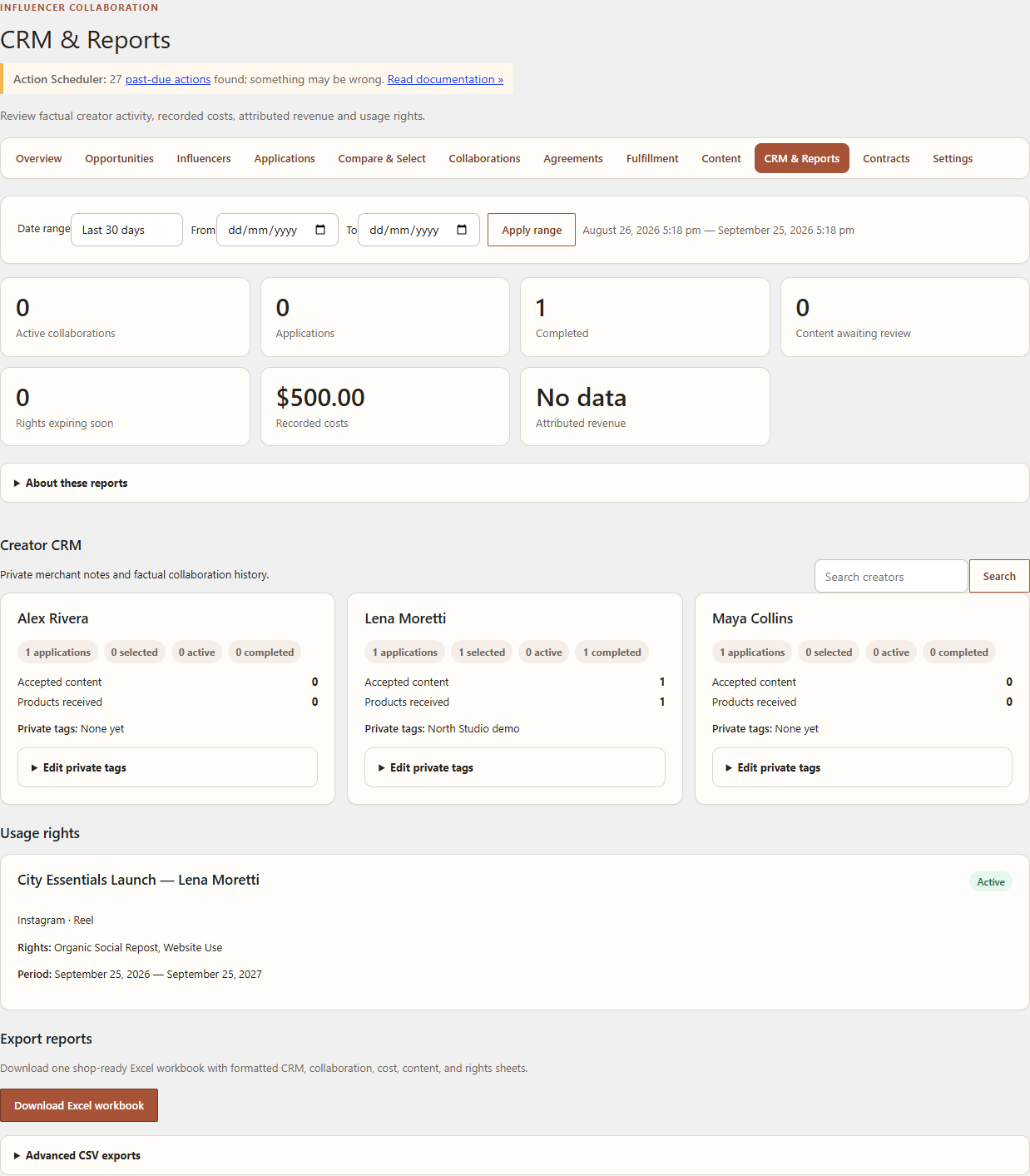
CRM & Reports retains factual creator activity and private merchant context. It is not a creator-ranking or accounting system.
Free/Core records
Open WordPress Admin → Leanmerce → CRM & Reports. The Core workspace can present creator summaries, collaboration history, content metrics entered through the implemented workflow, tags/notes and agreed-rights context available in Core.
- Search for a creator.
- Review application, selected, active and completed counts.
- Review accepted content and product-received history.
- Add private tags or notes only when they are operationally relevant.
- Review the timeline before starting a new collaboration.
Metrics and evidence
Creator-entered historical statistics are self-reported until the merchant verifies the associated evidence. Do not interpret them as Leanmerce-verified performance or as a recommendation.
Pro extensions
The exact Free/Core 1.0.7 and Pro 1.0.2 runtime produced date-range reporting, rights lifecycle records, a valid XLSX workbook and the advanced CSV export from fictional demo data. Recorded costs and attribution remain factual merchant records; they are not performance claims.
Verify
The creator summary should match the underlying application and Collaboration history. Private notes must never appear in the creator workspace or public pages.
Recovery
If totals appear unexpected, inspect the date range and record states. Do not manually rewrite totals; reports are derived from operational records.
Related documentation
See Social accounts and analytics evidence, Privacy and private creator data, and Contracts, Final Terms, rights and advanced reporting.