

Respond to counters and selection offers
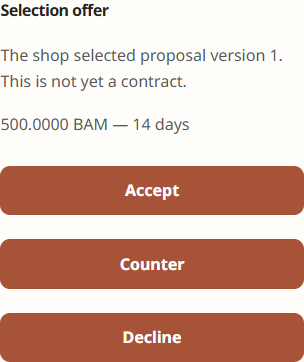
A counter changes proposed terms; a selection offer is the merchant’s invitation to proceed with a specific proposal context.
Respond to a counter
- Open My Account → Influencer Program → Applications.
- Open the application with a merchant response.
- Review the full current terms and negotiation history.
- Accept the proposed terms where the UI offers acceptance, submit a creator counter, or decline.
- Add a clear message explaining a counter without placing private contact/payment details in the note.
Respond to a selection offer
- Open the active selection offer.
- Verify the Opportunity, product context, deliverables, timing and compensation.
- Choose Accept, Counter or Decline.
- Accept only when the displayed terms are correct.
Accept creates the Collaboration through the implemented workflow. Counter returns revised terms to the merchant. Decline closes that offer and does not create a Collaboration.
Verify
After Accept, open Collaborations and confirm the new record matches the accepted offer. The merchant should see the same state under Leanmerce → Collaborations.
Recovery
If buttons are unavailable, the offer may have expired, been superseded or been cancelled. Contact the merchant rather than trying to reuse an old link.
Related documentation
See Counters, selection offers and creator responses and Manage collaborations and submit content.