

Manage collaborations and submit content
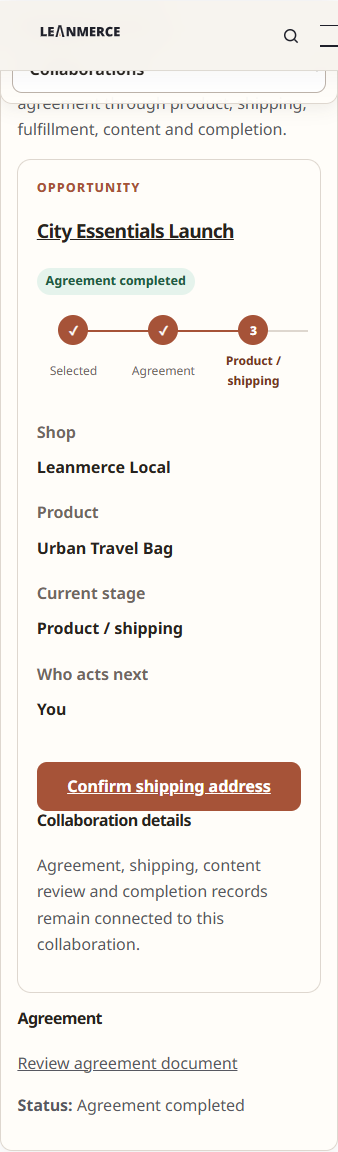
The creator Collaboration view presents the accepted work, fulfillment status and content deliverables relevant to that creator.
Review a Collaboration
- Sign in and open My Account → Influencer Program → Collaborations.
- Open the active record.
- Review the Opportunity, accepted proposal, product context and current stage.
- Provide or confirm shipping information through the protected form when product fulfillment requires it.
- Follow tracking and fulfillment information shown by the merchant.
Submit content
- Open the requested deliverable.
- Review the content type and current requirements.
- Upload the allowed file or provide the requested content URL.
- Add the factual submission details requested by the form.
- Submit for review.
- If revision is requested, read the merchant note and submit the corrected version through the same deliverable.
Verify
The submission status changes to awaiting review. After acceptance, the content and agreed-rights context appear in the Collaboration history as implemented.
Recovery
If upload fails, verify file type/size and network connection. Do not share a private file through an unrelated public link solely to bypass the protected upload.
Related documentation
See Review creator content, Agreements and fulfillment, and Privacy and private creator data.