

Review creator applications
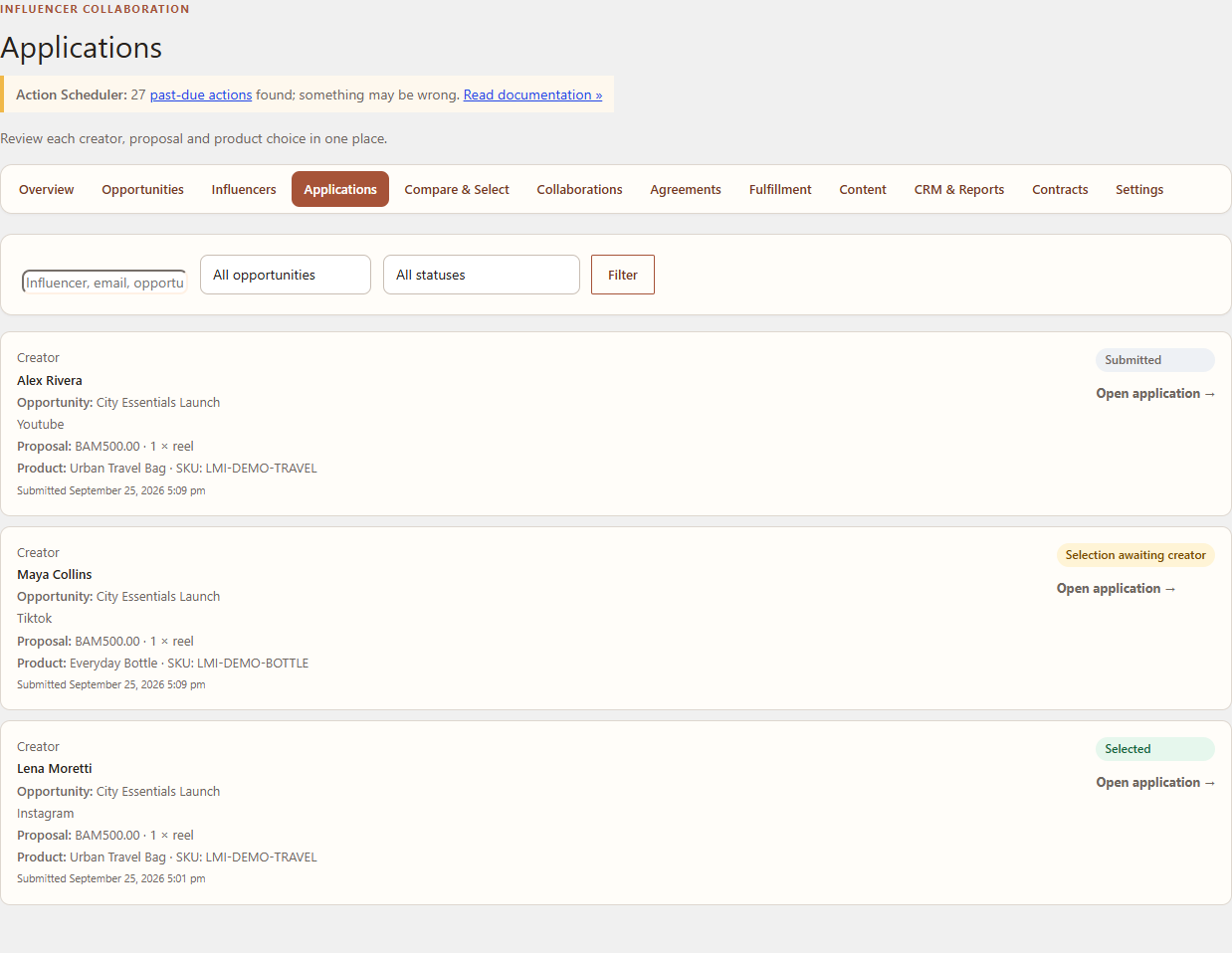
Applications keep the creator’s proposal, answers and merchant review actions together. This guide is for program managers.
Navigation
Open WordPress Admin → Leanmerce → Applications and filter by Opportunity or status.
Review an application
- Open the applicant record.
- Read the creator’s structured proposal, requested compensation where applicable, timing and answers.
- Review the creator profile, social-account records and available private evidence.
- Add a private merchant note when context should be retained for the team.
- Shortlist the application when it should remain in active consideration.
- Choose Counter when commercial or delivery terms need a creator response.
- Choose Reject only after entering an appropriate internal reason and, where useful, a respectful creator message.
Direct single-creator journey
For the North Studio walkthrough, open Lena Moretti’s application for City Essentials Launch, review the proposal of one Instagram Reel and three Instagram Stories, then choose Select influencer. Confirm the resulting selection offer before sending it.
Expected result
The application status reflects the action, private notes remain merchant-only, and creator-facing messages contain no internal evaluation notes.
Recovery
If an application cannot be changed, check whether it has already been rejected, withdrawn or moved to selection pending. Do not edit the database to reopen a terminal state.
Related documentation
See Compare and select creators and Counters, selection offers and creator responses.