Variations and inheritance
Prerequisite: published variable product Trail Bottle with variations Blue and Red, each purchasable and in stock.
- Edit the parent product. In Product data > Inventory > Availability by location, make the parent Available at Online orders and Unavailable at City store. Click Update.
- Open Product data > Variations and expand
Blue. - For both locations choose Inherit from parent product.
- Expand
Red. Choose Inherit from parent product for Online orders and Available for City store. - Click Save changes inside Variations, wait for confirmation, then click the page’s main Update button.
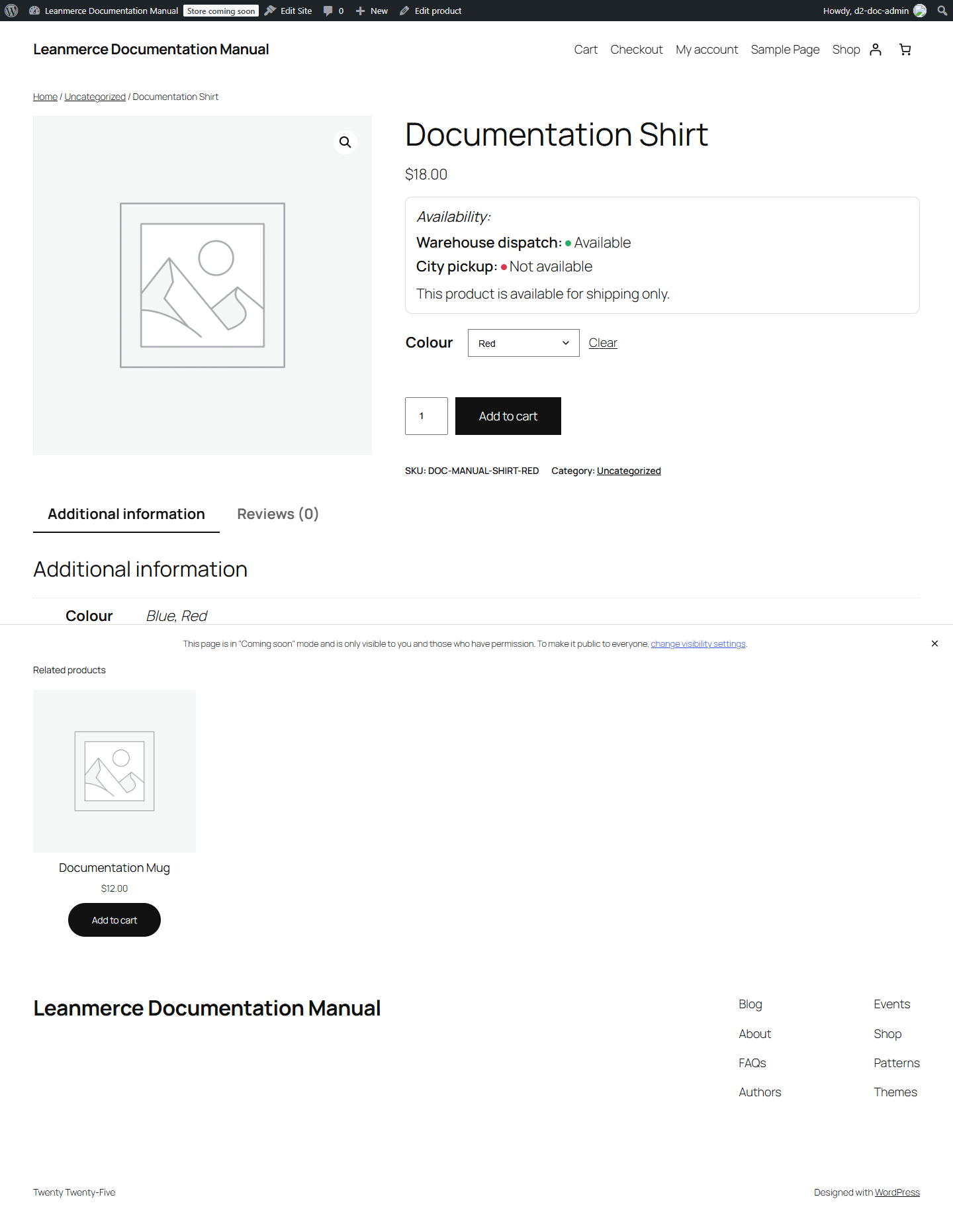
- View the product. Select Blue: expected Online Available, City store Unavailable. Select Red: expected both Available.
- Return to the editor. Change Red’s City store value back to Inherit from parent product, save variations and Update again.
- Reopen and view Red. Expected: City store is now Unavailable because the explicit override was removed and the parent value is used.
Inheritance is per location. It affects availability assignments only; it does not decide which variation owns WooCommerce or Leanmerce stock.
If storefront choices do not change, confirm the variation itself was saved, the main product was updated, and the customer selected the expected variation.
Observed Free-only result with Documentation Shirt: the parent saved Warehouse dispatch Available and City pickup Unavailable; untouched Blue had no explicit assignment; Red saved City pickup Available while leaving Warehouse dispatch Inherit. After Red was changed back to Inherit and both variation and parent saves completed, its stored values were Inherit for both locations and the storefront again matched the parent. The Blue assignment remained untouched.