

Routing
- Open Inventory > Routing settings.
- Give Online orders priority
1and Warehouse priority2; lower is tried first. - Click Save changes and reopen to confirm order.
- In Order Methods, make sure the mapped Flat rate method allows both Online orders and Warehouse; routing cannot select a location excluded by the method mapping.
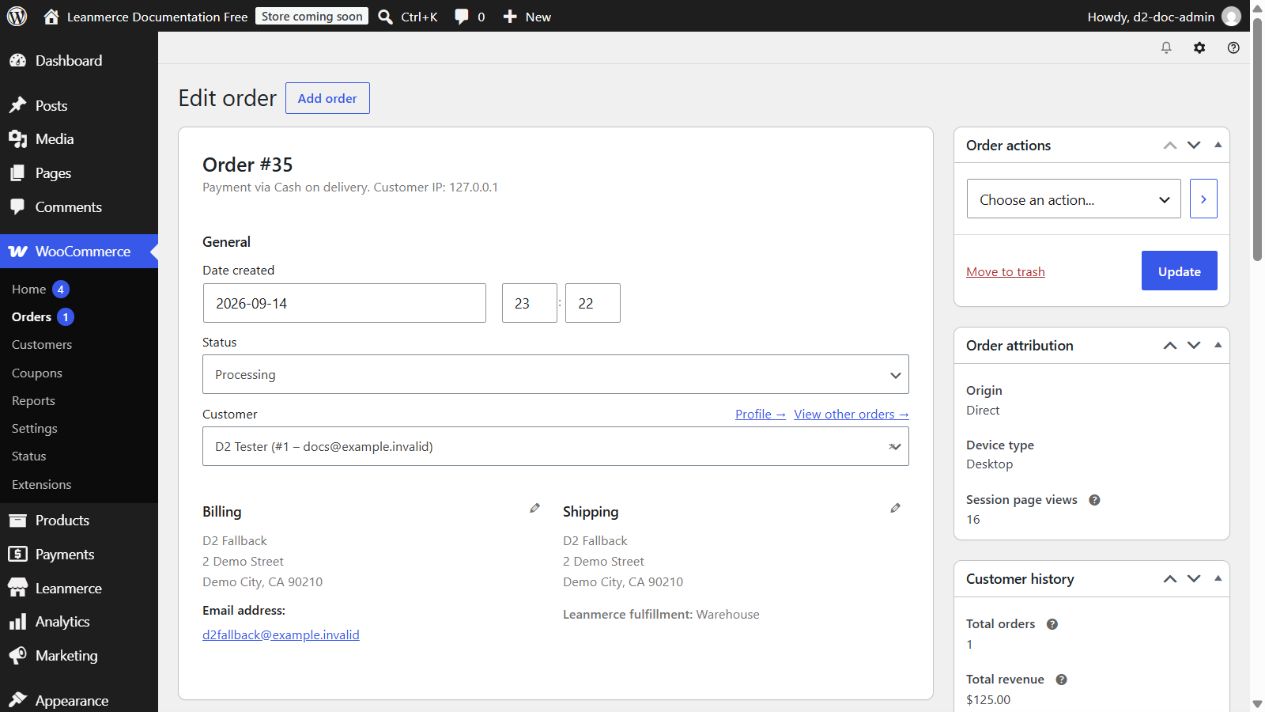
- With Online orders 4 Available and Warehouse 6 Available, place an order for quantity
5. Online orders is first but insufficient, so the package must route to Warehouse. Open the order and verify Leanmerce fulfillment: Warehouse. Cancel the disposable order and verify Warehouse returns to 6.
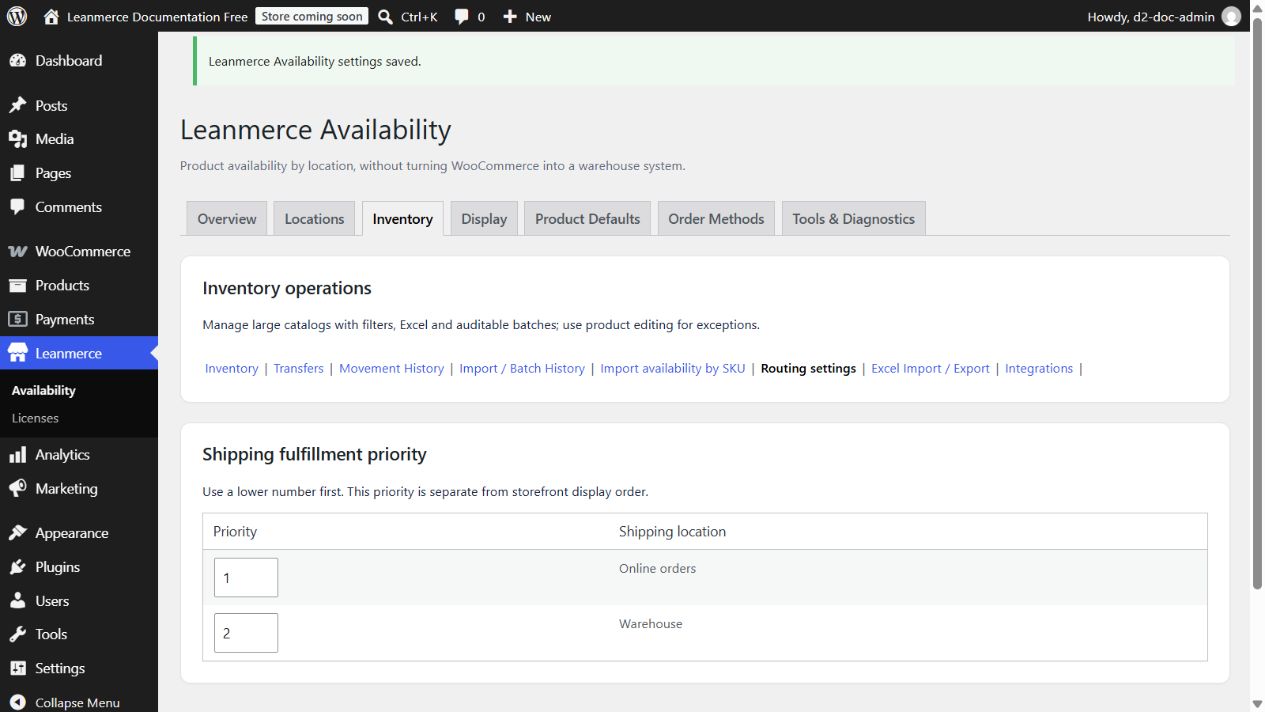
Only active, non-archived shipping-capable locations appear. Priority is separate from storefront display order and cannot make an ineligible location eligible.