

Initialize quantities and stock owners
Prerequisite: disposable product, correct Woo stock and two real fulfillment locations.
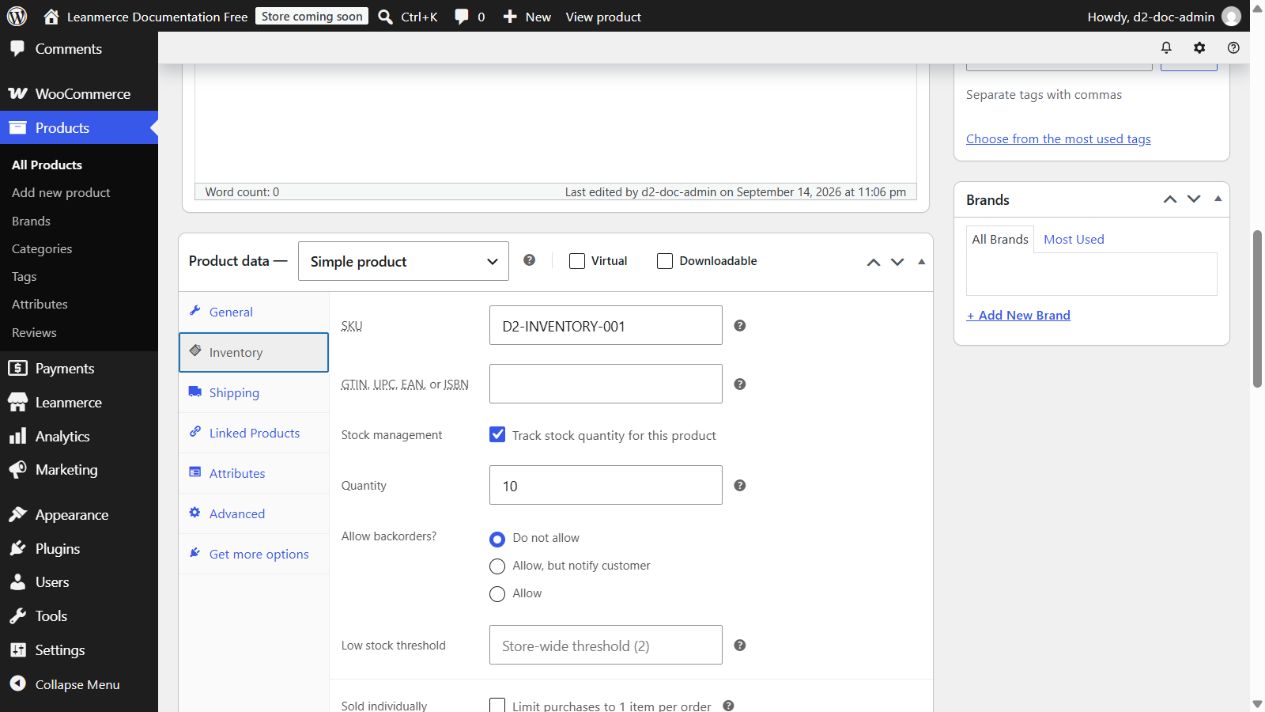
- Edit the product and open Product data > Inventory.
- Identify the shown stock owner. A simple product owns itself. A variation managing stock separately owns its balance; otherwise it shares the parent. Use the displayed Product/Variation ID rather than guessing.
- Record WooCommerce aggregate stock. Example: 10.
- Choose Manual / Leanmerce tools authority. Enter On Hand
4for Online orders,0for City store, and6for Warehouse. - Select Enable Inventory Mode for this product. Read the current Woo stock and sellable-location total. Tick I confirm this authority change and these location allocations only because 4 + 6 matches 10, then click the main Update.
- Reopen Product data > Inventory. It must show Inventory Mode: ON, current WooCommerce stock
10, and sellable location total10. - Open Leanmerce > Availability > Inventory > Inventory and filter by the SKU. Expect Online orders 4, Warehouse 6, City store 0, and aggregate Woo stock 10.
If totals mismatch, stop and correct the allocation before confirmation. If a variation row is absent, verify whether it shares the parent owner. Reconciliation is explicit, not a general undo.